
A new search engine
Highlights
- Search understands more: “double bass” finds samples that sound like one even when the filename doesn’t say so, “drum loop no kick” leaves the kick out, “C minor chord” puts samples in that key first, “glitch drums” returns drums rather than glitch effects, and pack or creator names work in folders that haven’t been deep tagged
- Ready-made layouts: the plus button in the sidebar opens arrangements for Browse, Produce, Explore, Inspect, Visualize, Reference, Sketch and Organize, already filled with the panels each job needs, or bare grids under Customize. Panels move between slots without carving out new ones, and each layout in the sidebar shows a small map of its arrangement
- Find similar sounds in the search overlay: use any result as a reference, chain from one similar sound to the next, and compare overall, timbre, or frequency-band matches without returning to the main window
- Drag a region out: select part of a sample in the Waveform, Spectrogram, or X-Ray panel and drag it straight onto a DAW track
- Quicker first-run setup: the questions fit on one screen and can be skipped, and setup finds the folders your sample services already use (Splice, Loopcloud, ADSR, Noiiz) so you tick what to add instead of browsing for each path
- Sign in without leaving the app: type your email, get a six-digit code, type it back in, with Google, Discord and the browser flow still one click away
- Smoother on large libraries: no more freezes when Similar Samples refreshes, when a long sample plays with the Waveform or Spectrogram open, or shortly after launch
More improvements
More improvements
- Picking a panel reads like a shelf: a new tab lays its panels out as cards once there’s room, and stays a compact list when there isn’t
- Prompt ideas on demand: open suggested searches from the Library search bar, reroll for another set, or dismiss them without changing your search
- Your key needs attention: when your own OpenRouter key runs out of credit, is revoked, or is blocked by its privacy settings, a card names the cause and links to your API key settings
Bug fixes
Bug fixes
- Fixed samples at 96 kHz and above reading as having no sub-bass, which kept them out of low-end filters and band matches
- Fixed missing cloud sync credentials blocking the app at startup
- Fixed a full disk leaving you with no explanation when saving or searching stopped working
- Fixed the Sample Map staying on “Optimising sample map” indefinitely
- Fixed the Tape waveform not filling the view, and changing the Tape buffer length discarding audio already captured
- Fixed files longer than ten minutes leaving library status stuck short of complete; they now classify from their opening seconds, though tempo and key stay empty for them
- Fixed the Reprocess button in a stalled processing status not queueing the missing work
- Fixed background organization, the Map, and search indexing failing when samples were deleted mid-run
- Fixed stepping past the last sample not scrolling the list back to the top
- Fixed the sign-in screen waiting forever when a browser sign-in was never finished
- Fixed the browser demo showing a Professional Suite prompt instead of opening the demo library
- Fixed assistant searches narrowing broad requests with invented key, tempo, and shortlist values
Search over your DAW
Hide the main window and Sample Vault doesn’t go with it. Quick Actions has become a slim search bar that stays on top of your DAW: type, filter, deep search, grab audio, drag the keeper onto a track.The search overlay
The always-on-top overlay is a search bar you type into directly, rather than a pill that opens a separate palette. Find a sample and drag it into your session, or go deeper without switching windows.- Results audition as you arrow through them, and you drag the one you want straight onto a track
- Narrow with the same filters and saved presets as the library
- Send a query as a Deep Search or a question, and keep refining in place with the picks landing in the results below
- Tape and sync built in: grab the last few seconds of system audio, and reach the same tempo, key and Ableton Link controls as the main app
- Keyboard only: arrow keys step from the search field onto the results, Space replays the one you land on, Esc puts you back in the field, and Enter copies the highlighted sample and dismisses the overlay so you can paste it into your DAW
- Appears whenever Sample Vault isn’t the focused window by default, with always-on or off in Settings and a toggle in the tray
- Shortcuts for filters, Deep Search, Tape, settings, grab and recalling the main window, listed under Keyboard Shortcuts
- New installs start Sample Vault with your computer by default, so the overlay is there when you open your DAW, and existing installs are left alone
User Experience
- Library status now reports what your library can do rather than which internal stage it sits on, a row per capability with how far it reaches, and the same readout per folder in Settings → Sample Directories
- Deep tagging can be stopped and resumed from Library status or Settings → Organization, and reports which folder it’s on and roughly how long is left instead of counting internal steps
- Activity Log is now the Processing log: it opens on failures, names each background job the same way everywhere, and points at Library status for overall progress
- Read the whole error: a failure in the Processing log expands to its full text, which you can select or copy in one click
- Layout shortcuts: Alt+1 through Alt+9 (⌥ on macOS) switch between your layouts, top to bottom in the sidebar
- Check connection: a new button in Settings → API Keys tests your own OpenRouter key against every model Sample Vault runs on it and names what’s blocking each one
- Report a problem from the startup screen: when the app can’t finish starting, one button sends us the error and your recent logs
- Deep Search stays on the search bar: the button sits beside the search field at all times, disabled until you describe a sound
- Keyboard activation: project cards on the Sessions board and the selected region on the Tape timeline respond to Enter and Space once focused
- Middle-drag to pan: holding the middle mouse button drags the Map, Circle and Scatter views around from anywhere, including from on top of a sample
- Cloud backup follows your plan: it stops when you move to a plan that doesn’t include it, and reconnects to the same cloud library if you move back
- Cloud sync on Professional plan is now opt-in
- Storage-full, out-of-allowance and paid-feature prompts read the same wherever they appear
- Moving duplicates to the Trash shows a running count and can be cancelled, and names the files the system refused at the end
Bug Fixes & Performance
- Fixed saving a Tape grab, an X-Ray or waveform region, or a Sketch render into your library failing with a save error
- Fixed deep tagging a single folder on Windows failing the moment it started
- Fixed deep tagging re-running folders it had already tagged, at full cost
- Fixed a deep-tag run repeating the same batch forever when a request came back empty
- Fixed a blocked or unfunded OpenRouter key reading as a slow deep-tag run rather than a broken one
- Fixed Move files to Trash on the Duplicates screen abandoning the whole sweep when the system refused a single file
- Fixed the library’s add-filter menu closing the category, tempo and sound-profile pickers the instant they opened
- Fixed the volume slider only affecting sample preview, leaving the overlay, Tape and Sketch at full level
- Fixed upgrading an existing subscription to Professional Suite never setting up cloud backup or browser access
- Fixed the title-bar status icon going idle while classification and search indexing were still running
- Fixed the processing time estimate reading roughly three times too long, and still quoting one after processing had stalled
- Fixed Retry failed requeuing the whole queue instead of the jobs the confirmation counted
- Fixed failed upload and re-index rows reading “Unknown sample” instead of the file they belonged to
- Fixed database backups being deleted instead of kept when they failed their integrity check
- Fixed the Tape button in the title bar needing a second click to open the window
- Fixed typing a key and scale together in the search bar, like
@CMaj, dropping the scale - Fixed sample previews on macOS becoming increasingly delayed or falling silent during long browsing sessions
- Moving duplicates to the Trash on macOS now takes seconds instead of up to an hour, and no longer asks for permission to control Finder
- Opening a directory in Sample Directories shows its first page in about half the time on a large library
Split a track into stems
X-Ray can now pull a reference track apart into vocals, drums, bass and everything else, then match each part against your library on its own, so a drum lane finds your drums instead of everything at once. Separation runs on your machine and the track never leaves it.- Six lanes per track: vocals, drums, bass and other, plus groove (drums and bass together) and the full instrumental
- Drag a region on any stem lane to find the sounds you already own that match that part
- Splitting a four-minute track takes a few minutes and deliberately leaves most of your CPU free
Your DAW projects, in the browser
Projects now have a place to search them, the sounds they used, and a way back into them from any sample.- Import from the title bar: the Projects dropdown imports your DAW projects from a folder without a trip to Settings
- Find and sort: search the Projects board by name, genre, key or mood, and order it by recently modified, recently created, or name
- Samples tab: every sound from a project’s sessions as a playable row, marking which are in your library and which aren’t
- Sessions tab: when a sample turns up in your connected projects, the sessions using it get their own tab in its info panel, each row ready to open in your DAW
- The assistant reads your open session: the tracks, samples, plugins, tempo and key in your open project file, plus which of those samples you already own
- Fit the library to your open project: with a project connected, the Add filter menu offers one-click Fit tempo (±15 BPM) and Fit key & scale, dropped in as chips you can adjust
- A project’s note now lives on the project itself, and the Notes panel’s separate “New Project Note” option is gone
Embed the free tools on your site
The BPM detector now runs as an embeddable widget you can drop into any blog, forum, or lesson page: copy the snippet from the tool page and paste it where you want it to appear.- Readers drop a file and get the tempo, confidence, and key without leaving your page
- Analysis runs in the reader’s browser, so nothing is uploaded
User Experience
- Seek from the player row: the playing sample grows a slim bar along its bottom edge wherever the row is too narrow to show a waveform, and you can click or drag it to move through a long recording
- Skip back and forward:
Shift + ←andShift + →move the playing sample a few seconds a press, and repeat while held - Compact Database: a new action in Settings → App Data returns disk space the database still holds after you remove folders or samples
- The panel picker, grouped: opening a new tab lays panels out in sections (Browse & find, Build, Inspect, Workspace) so the one you want is easier to spot
- Dragging or copying a sample to your DAW now stops its preview in Sample Vault, so it isn’t left looping over your session
Bug Fixes & Performance
- Fixed Locate File discarding a moved sample’s tags, favourites, and collections, and deleting its cloud backup
- Fixed a folder in the file browser showing a sample count but opening empty
- Fixed folder sample counts drifting from the folder’s actual contents
- Fixed one-shots being marked as loops incorrectly
- Fixed silent files reading as full energy in every frequency band
- Fixed key and pitch detection being skipped on silent files and very low sub-bass sounds
- Fixed setup details (your role, DAW, genres, and challenges) not carrying through to the assistant’s instructions
- Fixed the Quick Actions “Open in Library” and “Ask Assistant” commands crashing the layout
- Fixed finished background jobs being kept for a week after every reprocess, bloating the database on large libraries
Library organization, in your control
The automatic organization that groups your sounds, tidies your genres and tags, and builds collections now has a home in Settings → Organization, with controls to shape what it does and a single place to manage your taxonomy.- Automatic organization: turn it on or off, and choose which of its three passes — categories by sound, tidy genres and tags, build collections — run on their own
- House rules: a plain-language note the AI follows across every pass, like “keep liquid and neurofunk separate” or “no tempo-based collections”
- Your taxonomy, in one place: categories, genres, tags, creators, and sample packs moved here from Processing — edit them, add your own, and add categories the sound pass can assign
- Lock a genre or tag so the tidy never merges, renames, or prunes it; anything you create or edit is protected already
- Recent activity: every automatic pass and manual run is logged here with exactly what changed
An assistant that remembers you
The assistant now carries what matters between sessions — your preferences, the conventions you work by, and what you’re in the middle of — so you stop re-explaining yourself every chat. It keeps this current on its own from your recent conversations and library activity, and you can see and edit all of it in Settings.- Two kinds of memory: durable facts like your genres, naming conventions, and go-to tempo ranges, plus lighter context about your current work that fades on its own if it stops coming up
- Ask it to remember something the moment it matters, or to forget it, without waiting for the next refresh
- See everything it knows in Settings → Assistant, next to your assistant instructions — edit, delete, or switch off any entry, or turn memory off entirely
- Confirm or dismiss entries it flags as possibly out of date
- A measured read of your library also feeds every chat — the genres you own versus the ones you reach for, your working tempo range, and the searches you keep coming back to
- Everything it remembers stays in your library’s database on your machine
- Cross-session memory comes with Professional Suite, or Lifetime with your own key; the measured library read is on every plan
User Experience
- More ways to sort: order the Library by sample length, tempo, loudness, or any sound-profile characteristic
- Mention samples in the assistant: right-click any selection and choose Attach to chat, or add your current selection from the assistant input, to attach specific samples to your next message
- The assistant toggle in the sidebar now glows while a request is running and shows a ready dot when a reply lands with the bar hidden
- Stop a reply mid-stream: the assistant’s send button becomes a stop button while it’s working, so you can interrupt and send a new message right away
- Your assistant instructions moved out of Preferences into the new Settings → Assistant page
- The Analysis Speed control moved into Settings → Preferences, and the now-empty Processing tab is gone
- Finer step rates: Sequencer lanes can now run at 1/64 and dotted rates (dotted 1/4 through dotted 1/32)
- In the Library Add filter menu, Collection is now a submenu that lists your collections, creates a new collection or live collection inline, and renames or deletes each one
- Live collection groups now show the filters behind each group as chips beneath a brighter heading
- Ask the assistant to build or show a collection and it opens in the Library scoped to it
- Collect kit sounds to folder…: from the Sequencer’s Export menu, copy every sound in the current kit into one folder you choose — originals stay put
- Copy kit sounds to clipboard: grab all of the kit’s sounds at once and paste them into your DAW or a file window
- Deep tagging summary: when tagging finishes, a banner shows the creators and sample packs it turned up — click any to filter your library to them
- No more Premium requests: AI Collections and library auto-organization no longer draw from a monthly allowance — on a paid plan they run under fair use like the assistant and Deep Search
- Honest weak-search note: when a sound search comes up thin and most of your library isn’t tagged in detail, the results now count how many untagged samples actually sound like your matches and point you to describe those folders
- Processing progress at a glance: opening a samples directory now shows its per-stage progress table up front, with the cloud-backup notice moved into the table under the Uploaded row it applies to
- Reconnect moved files: a new action finds files you’ve moved or renamed on disk and reattaches them to everything already known — tags, descriptions, favourites, and collections all stay put
Bug Fixes & Performance
- Fixed filtering by tag or genre stalling the sample browser — the filter counts on a 200k-sample library went from over three minutes to half a second
- Fixed the deep-tagged markers on folders and samples staying dark until all background processing finished, long after those folders had been tagged
- Fixed a category in the filter panel showing fewer samples than one of its own subcategories
- Fixed very large libraries freezing or showing database errors during their first processing pass
- Fixed samples dragged into your DAW going missing from the project between sessions
Loops in the Sequencer
Layer always-playing loops under the pad grid: a bassline, a chord bed, a drum break. Each one stretches to your pattern’s tempo, and you can swap any of them for a similar loop from your own library.- Drop a loop into a slot and it plays continuously under your beat at your pattern’s tempo
- Lock a filter to cycle through matching loops, or press ≈ to swap the current loop for one that sounds like it
- Mute, solo, volume, and pan per loop
- Build a stack fills every loop slot with tempo-matched loops from your library in one click, local and free
- Stack around this: right-click a sample to open the sequencer with that sound as the first loop
- Design with AI now works the loop lanes too. Ask for a bassline or drum break and it pulls a matching loop from your library
- Ask the chat assistant for a kit and it can layer loops underneath, saved into your Sequencer library
- Keyed loops follow the transpose control into your target key
- Loops are included when you export or render the pattern to WAV
Filters as chips
Every filter you apply in the Library now shows as a chip beneath the search bar, so you can see and edit exactly what’s narrowing your results.- Add filter: one menu covers tags, genres, category, key, scale, tempo, type, favorites, creator, sample pack, collection, and sound profile
- Press F to search the menu and jump to a filter type, or to a specific tag, genre, creator, pack, or collection by name
- Click a chip to edit it, its × to clear it, or right-click a tag, genre, or category to flip it to
not:and drop every sample that carries it - Suggested filters: describe a sound and matching filters appear as dashed chips. “bright punchy kick” offers Brightness, Attack, and a Kicks category, to apply one at a time or Add all
- Structured tokens like
@Cminor#120-140turn into chips, keeping the search box for plain text - Shortcuts with the Library focused: A applies suggested filters, D runs Deep Search, ⌘/Ctrl-B toggles the sidebar, ⌘/Ctrl-S saves a preset, C clears everything
Deep Search
Deep Search now turns your request into a plain search plus editable filter chips, then checks its own results and adjusts the filters until they fit. It handles asks that plain search gets wrong, like “warm pads, nothing cheesy” or “no vocals”.- Run it from the Deep Search button, ⌘/Ctrl-Enter in the search box, or Run Deep Search when a search comes back thin
- Its choices land as the same editable chips as any other filter, and your current results stay up until the refined set is ready
- Deep Search from this: right-click a sample and describe the shift (“darker, more sub, less clicky”) to find variations anchored to that sample’s measured character
- Shows its work: a line above the results streams each query it tries, then a one-sentence summary of what it applied or relaxed
- Tempo filters match half- and double-time, so an 87 BPM loop still shows up in a 174 BPM search
- It reads what a sample sounds like plus its filename and folder, not just its tags, so a mistagged sample still surfaces for the right search
User Experience
- Add to collection now starts with Create new collection, so you can name one and drop the sample straight in
- Step or shuffle through a lane’s matches right on the sequencer pads and loops, and hover to see the filter and its match count
- Library and File Browser lists keep your scroll position when you switch panel tabs and back
- Running a new Library search keeps your current results on screen with a thin progress line, instead of clearing them to a spinner
- Tags Sample Vault adds to its own captures and renders (X-Ray, waveform, sequencer) are grouped under a Sample Vault filter and left alone when tidying tags and genres
- When Sample Vault upgrades your local library on launch, the startup screen now says so, and warns it can take a few minutes on large libraries
Bug Fixes & Performance
- Browsing, filtering, and searching stay fast on very large libraries. The heaviest per-sample data no longer weighs down every list and search
- Deep Search and filtered searches now return in about a second on large libraries instead of stalling for tens of seconds, most noticeably with a tag, genre, or tempo filter active
- Samples pre-load on hover and press, along with their neighbors, so arrow-key stepping starts each sample instantly
- Fixed audio staying silent on macOS after the computer went to sleep and woke back up
- Fixed opening a second Sequencer panel blanking out both panels
- Fixed switching back to a Library or File Browser tab sometimes showing an empty list or rows at the wrong height
- Fixed the Waveform panel showing “No sample loaded” for samples downloaded from a cloud library
- Fixed the Library processing status bar staying visible after all processing had finished
- Fixed bulk and chat-assistant metadata edits not refreshing what a sample matches on in search
- Fixed a large import sometimes slowing to a crawl, with a wildly inflated time-remaining estimate, and the Map view failing to build until the app was restarted
- Fixed backups being refused with a “database may be corrupted” error after a recent update, even though the library was intact
- Repair Database now rebuilds the local database file when an integrity check finds free-space damage, not just drifted indexes, and reclaims the disk space it was holding
X-Ray
Drop any track, loop, or sample into the new X-Ray panel, select any part of it, and find the closest sounds in your own library. It runs on your machine — nothing is uploaded, and it’s free.- Open X-Ray as a panel, or right-click any sample and choose Open in X-Ray — WAV, MP3, AIFF, or FLAC
- Drag across the waveform to select any part — a hit, a phrase, a loop — and the closest matches rank underneath
- Regions audition the moment you select them, with a toggle to turn auto-play off
- Approve or reject individual matches to steer the ranking without starting over
- Save a matched region into your library as a new X-Ray Captures source, or copy it to the clipboard
- Zoom, fit to width, and reopen recent tracks from the panel
User Experience
- Spectrogram: A new panel shows the playing sample as a time–frequency view, sharing the waveform’s zoom, scroll, and timeline
- Waveform regions: Drag across the Waveform panel to select a region that plays on its own, then right-click it to copy it or save it into your library under a new Captures source
- Deep Tagging: AI indexing is now called Deep Tagging — the metered pass that labels samples with genres, creators, packs, and tags for Deep Search
- MIDI control: Connect a MIDI controller and play the sequencer’s pads with velocity, choosing your device from the transport bar
- MIDI recording: Press record to capture the pads you perform onto the grid, quantized to each lane’s step rate
- Sample folders: The library now shows the folder each sample came from, with the full clickable path in the sample info panel
- Samples with no creator or pack assigned no longer show “Unknown Creator” or “Unknown Sample Pack”
- Library search now shows name matches as you type, while sound matches fill in underneath as they’re found
- In the sequencer, right-click a step to clear it, and the step inspector stays empty until you select a step
- Build kit now draws each drum role from across your whole library at random, instead of favoring the alphabetically-first pack
- Sequencer pads now hold a minimum size and the grid scrolls sideways when they don’t all fit
Bug Fixes & Performance
- Fixed typing a tag, genre, creator, or pack that doesn’t exist in your library showing every sample as a match instead of none
- Fixed picking certain tags or genres from the search bar making the library flicker endlessly between empty and full results
- Fixed samples with accented or unusual characters in their filename failing to analyze and asking you to relocate a file that hadn’t moved
- Fixed the account menu hiding your Lifetime license when you also own a subscription
- Fixed the Starter AI actions counter showing a negative number on accounts granted a larger starter pool
- Fixed the library processing indicator staying stuck on “Processing your library” when a sample’s file had been moved or deleted
- Fixed being sent back to the sign-in screen while still signed in when a background check briefly couldn’t reach the server
- Fixed mono samples playing silence or the previously-played sound instead of the sample you clicked
- Fixed playback starting late while the Waveform or Spectrogram panel was still loading
- Build kit now assembles kits much faster on large libraries, with or without a vibe
- Randomizing all sequencer lanes now re-rolls every pad at once instead of one at a time
Faster on large libraries
Filtering, finding similar samples, and Deep Search now run roughly 6–8× faster.Performance
- Filtering by category is now near-instant on large libraries, even as your first filter, instead of scanning the whole library
- Finding similar samples and Deep Search both run roughly 6–8× faster
- The Similar Samples panel now shows the closest 50 matches first and loads more as you scroll
Referrals
Refer a friend and you both benefit: they save on a Lifetime or annual plan, and you earn a reward when they buy.- They save: $20 off Lifetime, Home Studio annual, or Professional Suite annual on a first purchase.
- You earn: subscribers get a free month credited to their next invoice; Lifetime owners get an extra device activation.
- Referral codes are now available on paid plans, each with a redemption limit.
User Experience
- Category, tag, genre, creator, and pack filters now show how many samples each value covers, updating as you narrow with other filters
- Selecting several tags or genres now narrows to samples matching all of them, with a count on each remaining option
- Tag and genre groups can now be selected whole in one click, or expanded with an arrow to pick a sub-tag, without opening the group first
- A tag or genre group with only one matching tag now shows that tag directly instead of nested
- Assistant replies that suggest samples now have an actions row to copy them all, add them to a collection, send them to the Sequencer as a kit, or select them for drag-and-drop and bulk edits
- Each sample folder now has a Remove missing files action that clears every moved or deleted file in one pass instead of one at a time
- Right-clicking a folder in the directory list now opens its full set of actions — scan, retry, reprocess, remove missing files, and delete — without opening it first
- The assistant chat box now grows to fit multi-line messages and matches the rest of the app’s inputs
- The assistant now has a header showing the current chat’s title, with controls to start a new chat, browse history, and rename, pin, or delete it
- Panel tabs now show each panel’s icon, with cleaner selected and hover states
- Pressing Ctrl/⌘+F now jumps straight to the library search from anywhere, opening a Library panel first if none is open
Bug Fixes
- Fixed the “Open in Library” quick action doing nothing instead of opening the Library with your search applied
- Fixed selected sample chips being nearly indistinguishable from unselected ones in the assistant chat
- Fixed the Suggestions panel silently falling back to only recent picks when AI suggestions weren’t available instead of explaining why and disabling refresh
- Fixed genres and tags you add by hand not joining your genre and tag lists, leaving them out of the filter families and automatic cleanup
- Fixed some samples failing analysis because of an unusually low sample rate, such as 8 kHz field recordings
- Fixed some 24-bit and floating-point WAV files being incorrectly rejected as corrupt
- Fixed some AIFF files, including those Logic exports, being incorrectly rejected as corrupt
- Fixed file browser rows flashing white while scrolling on light themes
- Fixed the waveform timeline’s labels and tick marks being unreadable on light themes
A library that organizes itself
Sample Vault now organizes your library for you — building live collections you describe, correcting categories by how samples sound, and tidying sprawling genre and tag lists. It also keeps verified local backups, so a damaged library is recoverable instead of lost.Live collections
Describe a collection — “lo-fi drums, warm rhodes, and vinyl textures around 80–90 BPM” — and Sample Vault builds it from your library, organised into labelled groups that keep filling as matching samples arrive. Start one from the collection picker in the Library.- Grouped browse: each live collection shows a section per group, with “See all” to open just that group’s matches.
- Refine with AI: adjust a live collection in plain language — “stricter, only F minor” or “add a vinyl textures group”.
- Hands-off: live collections update on their own and stay read-only; manual collections are still yours to fill by hand.
- Built for you: Sample Vault also assembles a few live collections on its own, shaped by the genres, DAW, and standing instructions in your profile.
- Available on paid plans.
Categories by sound
Sample Vault groups samples that sound alike, then uses those groups to fix categories that don’t match the sound and to name new ones your library was missing. It runs as part of Organize library.- Corrects miscategorised samples: a sample whose category doesn’t match how it sounds moves to the one its neighbours share.
- Names new categories: a distinct kind of sound with no existing home — hardstyle kicks, reverse cymbals, sub drops — becomes its own category.
- Your categories stay put: categories you’ve made or renamed by hand are never changed.
- Available on paid plans.
Cleaner genres and tags
Sample Vault now keeps your genre and tag lists from sprawling — merging near-duplicates, nesting specific values under broader parents, and dropping tags that only repeat a filter you already have.- Browse by family: genres and tags filter as a two-level tree — pick a parent like trap or keys to match everything beneath it, or open it to choose a single child.
- Your edits stay put: tags you’ve created or renamed yourself are never deleted — a cleanup can only nest or relabel them.
- Available on paid plans.
Organize library
A single Settings → Processing action runs category cleanup, genre and tag tidying, and collection building together — free in the background as your library grows, or on demand for some premium requests.- A status indicator in the title bar shows which step organization is on, whether it started on its own or you ran it.
Backups and recovery
Sample Vault keeps verified local snapshots of your library on a schedule, and when the library can’t be read at startup it offers recovery instead of looping on Reload. Manage it under Settings → App Data.- On by default: choose daily or weekly snapshots and how many to keep.
- Each snapshot is verified before it’s kept, so a damaged backup is never saved.
- Restore or rebuild: roll back to your most recent verified snapshot, or re-scan your folders to rebuild the library from the files on disk.
Interface refresh
A pass over the Library and app chrome for one consistent control style that holds up across every theme.- Consistent filters: chips, inputs, selects, and toggles in the Library now share one size and surface, with a single emerald highlight for what’s selected.
- Cleaner canvas views: on the Map, Scatter, and Circle views, the fit, isolate, axis, and scope controls moved into a floating panel on the canvas, leaving a slimmer header.
- Quieter title bar: the workspace, loop, and library-status controls now match the rest of the title bar instead of standing out as boxes.
- Theme polish: control surfaces and the sidebar now read correctly on light themes and adapt to each theme instead of staying fixed to the dark one.
User Experience
- Steadier filters: the Category, Genres, and Tags lists now fill the panel and scroll in place instead of shifting it as options change or you open a sub-group.
- Loading placeholders: the Category, Genres, and Tags lists show placeholder chips while your library loads, instead of a blank panel.
Bug Fixes & Performance
- Fixed saving an incomplete OpenRouter key showing a generic error instead of telling you the key is too short or missing its
sk-or-prefix.
v2.14.4
Bug Fixes & Performance
- Fixed Ableton Link switching off when you closed and reopened the tempo and key sync popover.
- Fixed background sample processing stalling for long stretches while a large library is being indexed.
- Background sample details (genres, tags, descriptions) no longer pause while a folder is being AI-indexed, and now keep processing while you’re offline.
- Sample details now generate roughly 2–3× faster during indexing.
- Queueing a folder for AI indexing is faster, by enqueuing them in one pass instead of one at a time.
- Fixed the Library status breakdown staying stale after a folder finishes scanning instead of refreshing with the rest of the library.
v2.14.1
Build a kit from chat
Ask the Assistant for a kit or a beat and it pulls matching sounds from your library, saves them as a named kit, and drops a button in the chat that opens it in the Sequencer.- One click to the grid: the button loads the kit, and an optional starter beat, straight into the Sequencer — opening the panel if it’s closed.
- Unsaved work is safe: if the open Sequencer has edits, it asks before replacing them.
Manage collections
The collection picker in the Library now lets you rename or delete a collection in place, and you can move a whole selection in or out of a collection at once.- Rename or delete: hover a collection in the picker for rename and delete actions — deleting drops the collection but leaves the samples in your library.
- Bulk add or remove: select samples and use Collections in the selection menu to add them to a collection, or remove them from one they’re all already in.
User Experience
- Switching your update channel now checks for a new version right away instead of waiting for the next automatic check.
- The title-bar library status is now a compact icon — its full processing breakdown opens on demand and refreshes from the title-bar refresh button instead of recomputing continuously in the background.
- The library now refreshes when new samples first appear, when a scan finishes, and when processing completes, with the title-bar refresh button on hand any time in between — instead of re-querying every few seconds while jobs run.
Bug Fixes & Performance
- A range of performance improvements keep browsing, search, and filtering responsive while large libraries are being scanned and processed.
The Sequencer (Beta)
A pad-grid step sequencer now lives in the dock. Drop your own samples onto pads, program them across polymetric lanes that drift against each other, and hand the result to your DAW — it’s built to sketch a groove, not replace the DAW you finish in.The pad grid
Open the Sequencer panel and pick a grid from a single row of eight pads up to 8×8. Each pad holds one sample and maps to a MIDI note for later.- Fill a pad: pick from your library, drop a sample on it, or let it choose — click a pad to audition it.
- Per pad: mute, solo, and lock.
Polymetric step lanes
Every pad gets its own lane with its own length and rate, so lanes fall out of sync and only line back up after a long cycle.- Length and rate per pad: 1–32 steps at anything from 1/4 down to 1/32, plus triplets.
- Velocity per step: drag or scroll a step to set how hard it hits.
- Per-step pitch: tune individual steps, with the resulting note shown against the pad’s key.
- Snap to key: lock step pitches to the detected key and scale so nothing clashes.
- Choke groups: let pads cut each other off, the way a closed hat silences an open one.
Sourcing from your library
The sequencer leans on what Sample Vault already knows about your sounds.- Swap for similar: replace a pad with a sample that sounds like it.
- Build a kit: fill the unlocked pads with a matching set of sounds from your library.
- Design with AI: describe a vibe and the designer picks the kit, programs the pattern, and sets the tempo and swing to match.
- Design one lane: point the same AI at a single pad to swap its sound, rework its rhythm, or both.
- Shared tempo and swing, following Ableton Link when a session is running.
Export to your DAW
When the groove is right, take it with you.- MIDI clip of the whole pattern, each pad on its own note, plus a manifest mapping every note to its sample.
- Audio render to WAV, clamped for polymetric patterns whose loop runs long.
- Save as a sample: render the pattern straight into your library — analyzed on the spot and tagged as a loop at the pattern’s tempo, searchable immediately.
- Copy to clipboard: send the MIDI clip or the WAV render straight to the clipboard to paste into your DAW.
Plans & Usage
Deep Search, the assistant chat, the Sequencer Designer, and library suggestions now share one AI actions allowance instead of separate search and chat grants — heavier actions cost more from the same pool. Free accounts get a one-time starter grant; paid plans stay effectively unlimited under fair use. The Premium-requests pool (Smart chat, AI collections) and the indexing coverage pool are unchanged. See Plans & Usage.Bug Fixes & Performance
- Fixed the assistant failing with a cryptic error when your session expired mid-conversation, instead of telling you to sign in again
v2.12.0
User Experience
- Library status panel: The status popover mirrors the per-folder view — All / Ready / Working / Failed counts, a Details toggle for the full processing pipeline, and a live processing rate — with the activity feed now behind a View full activity button.
- Reprocessing, retrying failed samples, and deleting a directory now use the same cancellable progress toast as other bulk actions, on a single folder or every directory at once
- Similar Samples now offers a Classify now button when a sample hasn’t been analyzed yet, so you can process it on the spot instead of waiting for background classification
Bug Fixes & Performance
- Fixed large libraries slowing browsing and search to a crawl the longer indexing ran
- Fixed the Library’s category filter crashing the view when a sample carried a malformed category value
- Fixed your sample directories disappearing from settings while working offline on a device-activated license
- Fixed CPU spikes and stalled processing when changing the Analysis Speed setting while a library was still indexing
- Faster library scans: Adding a folder writes new samples up to 8× faster on large libraries, so a scan that used to crawl for an hour finishes in minutes.
- Responsive during scans: Browsing, searching, and playback stay smooth while a large folder scans or indexes in the background, instead of stalling for seconds at a time.
- Faster search-readiness: New samples become searchable by sound several times faster after a scan, and faster still once the scan’s other work has finished.
- Fixed the app freezing for up to a minute, or edits and saves failing, when heavy scanning and indexing ran at the same time.
- Fixed your remaining Deep Search count lagging behind actual usage after a search, AI suggestions, or a sequencer design.
- Fixed search tokens being too pale to read on light themes across the library search, sequencer query, and command palette inputs.
See Your Whole Library
The Sample Browser is now the Library, and it lays your collection out four ways: a list, a map of similar sounds, a circle of fifths, or a scatter plot. Search collapses to one bar that matches filename and sound together, with an optional cloud AI pass on top. This release also adds app themes and Google Drive backup.Four views of the Library
The renamed Library panel keeps every workflow and adds a view switcher; existing dock layouts migrate automatically, and each panel remembers its own view, search, and filters.- List — the familiar browser.
- Map — samples that sound alike sit close together, coloured by category, thinning to representatives when you zoom out; scope it to one category or the whole library.
- Circle — the circle of fifths, majors outside and relative minors inside; click a key to filter, and pick what distance from centre means (tempo, brightness, attack, and the rest).
- Scatter — every sample plotted on two characteristics you choose, axes swappable in a click.
- Shared across views — click plays, drag drops into your DAW, filters and search dim non-matches (Isolate hides them), and Fit / Regenerate reframe or rebuild the layout.
Deep Search
The search bar lost its modes. Type, and it matches by name and by how samples sound at once, free and offline. The new Deep Search button runs a cloud AI pass for sharper matches, and falls back to the free search when your allowance runs out.- Ideas to try — suggested searches under the bar surface sounds worth playing next, and Surprise me leans on the corners of your library you rarely open.
- Relevance by default — results lead with the closest name and sound matches instead of newest first.
Themes
Sample Vault now ships more than one look. Pick a theme in Settings → Display and the whole app follows. Your choice sticks between sessions.- Neutral — Midnight (the default), Graphite, True Black, Dim, Ember, Paper, and Daylight.
- Accessibility — Contrast and Contrast Light for low-vision use or bright rooms.
- Studio classics — Wavetable, 808, Session, Console, Pocket, and Screen, each with one bold accent.
Bring Your Own Google Drive
Back up and sync new uploads through your own Google Drive. Connect under Settings → Connections → Cloud storage, and files land in a top-levelSample Vault/ folder mirroring your source folders.- Three-way default — switch new uploads between the built-in cloud, your Dropbox, and your Google Drive without disconnecting any.
- Your own cloud needs no subscription — only the built-in cloud requires a Home Studio or Professional Suite plan.
Also New
- Copy the playing sample with Ctrl/Cmd+C — drops its file on your clipboard ready to paste into a DAW, while highlighted text still copies as text.
- Redesigned Sample Directories settings — a cleaner master/detail layout with per-directory processing detail.
- Tidier Dropbox folders — new uploads land directly under
/Apps/Sample Vault/mirroring your source folders.
Performance and Bug Fixes
- Lower-priority analysis — indexing runs below your other apps, so a large library processing in the background no longer steals CPU from your DAW.
- Better-spread characteristics — the sound traits behind the views and filters now use their full range, so sounds separate more clearly.
- Fixed the app occasionally starting up unable to load your library until you reloaded the window.
- Fixed AI suggestions coming up empty on machines without on-device sound matching.
- Fixed analysis occasionally stalling a few samples short of 100%.
- Fixed the filter sidebar reopening every time you switched between layouts that reuse the Library panel.
- Fixed downloading a sample in the web app opening it in the browser instead of saving it to disk.
- Fixed the web app intermittently failing a sample copy or download instead of refreshing your sign-in session.
- Fixed clearing completed jobs from the activity log failing on large libraries with a big backlog.
- Fixed the right-click menu not opening on macOS when Control-clicking instead of using a two-button mouse.
- Fixed the folder shortcuts in Settings → App Data failing to open in Finder on macOS.
- Fixed dragging a file into the app window on macOS replacing the app with that file.
- Fixed uncategorized samples being left out of the Library’s category filter instead of appearing under Unknown.
- Fixed loosely-named vocal samples and other one-shots staying uncategorized instead of landing in the right family.
v2.12.0
Directory health and failure triage
Each sample directory’s settings view is now a triage console: see what’s ready, still processing, or failed at a glance, and fix problems without leaving the page.- Three states — every directory splits into Ready, Working, and Failed, so a library that’s still processing reads differently from one that’s stuck.
- Failures grouped by cause — failures are grouped (file was locked, unsupported format, file moved or deleted) and split into the ones a retry can fix and the ones it can’t.
- Retry failed — one button re-runs everything recoverable, while corrupt or missing files are called out with what to do instead of being retried forever.
- Live progress — the Working count shows how fast samples are clearing and roughly how long is left, with a shortcut to the processing speed controls.
- Find a file fast — the sample list filters by name and stays smooth at tens of thousands of files, with multi-select for bulk retry, reveal, or delete.
- Reprocess on demand — re-run analysis, classification, enrichment, or cloud upload for a whole directory or your entire library from the directory menu, without deleting anything.
Cancel any bulk action
Folder- and selection-wide actions — setting key, tempo, or genres, analysing, classifying, enriching, uploading, AI-indexing, deleting, rescanning — now show live progress with a Cancel button.- Stops where it is — cancelling keeps whatever already finished instead of rolling the whole batch back.
- Consistent across the app — directory menus, multi-select edits, the Activity Log’s retry and clean-up, and reanalysis all behave the same way.
- Steady on big libraries — bulk edits over tens of thousands of samples stay responsive instead of stalling, especially on Windows.
User Experience
- Now playing in the Map, Circle, and Scatter views — clicking a dot brings up a player at the bottom of the view with the sample’s name, key, tempo, and waveform, plus play/pause, scrub, copy, drag, and favorite, so you can tell what’s playing without leaving the layout.
- Moved Delete directory into an overflow menu so the recovery actions, not the destructive one, lead the directory view.
- Renamed Rescan to Scan for new and added a heads-up before scanning very large folders, since scanning only picks up newly added files — it won’t retry failures or reprocess existing samples.
Bug Fixes & Performance
- Fixed some MP3 files being marked corrupt and skipped during analysis even though they play fine
- Fixed folder and multi-select edit dialogs freezing — unable to close or start another edit — while a previous bulk change was still applying to a large library
- Fixed automatic genre, tag, creator, and sample-pack matching skipping samples whose names or folders were close to a known label but not an exact match
Duplicate Detection and Playback Cleanup
Sample Vault now recognises audio duplicates and collapses them so each sound shows up once. A new non-destructive playback chain evens out loudness, trims silence, removes DC offset, and de-clicks edges. Originals on disk are never touched.Duplicate Detection
Every analysed sample gets a signature based on what it sounds like. Matching samples are grouped, one copy shows in the browser, search, and similar results. The rest are hidden, never deleted. The same sound at WAV / AIFF / FLAC, 16- / 24-bit, 44.1 / 48 kHz, or normalised to a different level all count as one.Settings → Duplicates shows what’s collapsed and the controls:- Collapse toggle — turn off to see every copy again.
- Match strictness — Exact through Looser (near-identical, lossy re-encodes, light edits). Starts at Exact.
- Scan now — re-check on demand. Also runs after every directory scan.
- Review — flip copies between kept and hidden per group.
- Move to Trash — send hidden copies to your system Trash. The kept copy is untouched.
Playback cleanup
Every newly scanned sample now carries peak (dBFS), integrated loudness (LUFS), RMS, and silence-boundary measurements. Settings → Preferences → Playback (and the popover behind the title-bar volume button) turns these into a non-destructive chain:- Normalize playback loudness — match each sample to a target true-peak (default −1 dBFS, range −6 to 0).
- Trim leading / trailing silence — skip auto-detected dead air. Head and tail toggle independently.
- Remove DC offset — subtract DC bias before playback. On by default.
- Boundary declick — 1–50 ms symmetric fade at sample edges to kill ticks.
Render on drag / copy
Turn on Render samples as heard when dragging or copying to bake the active chain into the file your DAW receives. Off by default. Rendered copies preserve the original sample rate and bit depth.Bring Your Own Dropbox
Route new uploads through your own Dropbox account. Connect from Settings → Connections → Cloud storage → Connect Dropbox — files land under/Apps/Sample Vault/, mirroring your source folders. A Default upload destination card flips between built-in cloud and Dropbox without disconnecting either. Cloud uploads still require Home Studio or Professional Suite. See Cloud Storage.Bring Your Own AI key
Paste an OpenRouter API key in Settings → AI to route AI calls through your account.- Key only — every call uses your key; no Sample Vault pool is touched.
- Pools first, then key — pools drain first, your key picks up when they’re empty.
Delete to Trash
Sample deletion can now move the underlying audio files to your system Trash instead of just removing them from the library. Available on single, multi-select, and directory deletes. Off by default.Activity Log management
Right-click any job to delete or requeue it. Right-click a grouped row (e.g. “12,000 enrichment jobs pending”) to apply the action to every job in the group, with a confirmation showing the count. Requeue is offered only for failed or completed jobs. Bulk operations stream a live progress toast.User Experience
- Analyze samples on a folder no longer pops a confirmation — it queues right away and reports in a toast, matching Classify, Enrich, Upload, and Index.
- Scans become visible immediately — directories start populating the browser as the first batch lands, not after a minute’s wait.
- Analysis and enrichment results land sooner — finished runs surface in the browser instantly.
- Title bar refresh icon appears while background changes are pending; click to pull them through.
- Tempo Lock / Key Lock now show retuned BPM and key on every row in the sample browser, not just the playing row.
- Audition volume slider moved to Settings → Preferences → Playback alongside the cleanup toggles.
- Add sample directory disables Upload and AI Index toggles when your plan or sign-in state can’t run them, with a one-line note explaining what’s needed.
- Right-click menus now scroll when taller than the window and no longer get clipped at screen edges.
Browser demo
- The browser demo now opens straight into the full app — workspaces, tempo and key sync, play/pause, auto-loop, and the playback options popover all work against the demo library. Install lives in the title bar.
Bug Fixes & Performance
- Fixed the browser demo blocking anonymous visitors with a “Subscription required” screen on first load.
- Fixed reanalysis wiping tags and overwriting key, tempo, or loop values you’d set by hand.
- Fixed AI enrichment replacing genres you’d set by hand instead of merging with the folder’s detected ones.
- Fixed device activation not refreshing the rest of the app — the API Keys page and profile menu sometimes kept showing “activate this device” until the next refetch.
Sample Vault in the Browser
Sign in at samplevault.ai, click Open app, your library opens in any browser tab.Browser Access
- Sample Browser, filters, Sound Profile, search modes, Similar Samples, AI Assistant, Quick Actions all work the same. Edits sync back to your other devices.
- Only cloud-uploaded samples are visible. Local files stay hidden.
- Local-only features (scanning, analysis, indexing, Ableton Link, drag-from-disk) show a “desktop app required” prompt.
- Globe pill in the title bar marks browser mode.
Suggestions Panel
A new dockable panel that surfaces samples based on your recent activity, the sample playing, and your project’s tempo and key.- Recent moves: anchored on your last drag or copy. Local, no network call.
- AI-picked sections (2–4 per refresh) with titles like “A bass for the drop” — uses semantic search, similarity, or hard filters per section.
- Refreshes on new prompt search, drag, or project switch.
User Experience
- Calmer chrome across the app: softer filter borders, ghost play buttons that fill only when playing, mono loop / one-shot badges.
- Type filter is now two toggles (Loops, One-shots). Sort filter collapsed to a single dropdown.
- Dock tabs muted at rest. × hidden until hover, ”+ New Tab” only visible on active panels.
- Quick Actions suggestions strip under the search input. Tab / Shift + Tab to cycle, Enter to insert.
- Settings → Keyboard Shortcuts lists the full set, including arrow-key playback (
↑/↓,Space,Shift + Space). - Retry failed button in Activity Log requeues failures with fresh attempts. Respects the type filter; batched for large queues.
- First-run setup jumps straight into Add sample directory after you click Open Sample Vault, so you can point at your first folder immediately.
Bug Fixes & Performance
- Fixed F5, Ctrl/Cmd + R, and right-click → Reload resetting the window mid-session.
- Fixed sign-in refresh loops in Firefox.
- Fixed “Sign in” from the marketing site landing on Account with an error after the browser demo.
- Fixed a single failed database query cascading into errors across sample browser, search, and indexing until app restart.
- Fixed Quick Actions palette ignoring
category:,&creator,+pack,*, characteristic ranges,collection:, andsort:tokens. - Fixed Quick Actions palette “Open in Sample Browser” and “Prompt Search” actions doing nothing.
- Fixed phantom hover square on Collection, Creator, and Sample Pack filters when empty.
- Fixed the app asking you to sign in every day.
- Fixed AI directory indexing failing when the AI model was temporarily unavailable — it now falls back to an alternate model.
- Fixed library coverage not being refunded when AI directory indexing failed.
v2.7.1
Free in-browser tools
Two new tools at samplevault.ai/tools — same audio engine as the desktop app, runs locally, no upload, no sign-up:- Pitch Shifter — transpose any audio file by ±12 semitones with the tempo unchanged. Preview both versions, download the result as WAV.
- Time Stretcher & BPM Changer — drop a file, source BPM auto-detected from the filename or by analysing the audio. Set the target BPM (or pull a rate slider directly), preview, and download the matched WAV. Pitch unchanged.
Bug Fixes & Performance
- Fixed database connection getting stuck on an unexpected error and all operations failing.
- Fixed dragging a sample on macOS sometimes opening the audio file inside the app and forcing a restart.
Multi-Select Everywhere
Selection works consistently across every place you see samples — Sample Browser, Prompt Search, File Browser, Similar Samples, and the assistant chat. Pick a batch in one panel, add to it from another, drag the whole set into your DAW, or bulk-edit through one consistent menu.The same shortcuts work everywhere: Cmd/Ctrl + click toggles, Shift + click ranges, Cmd/Ctrl + A selects every sample currently loaded. In the Sample Browser, scroll to load more and press Cmd/Ctrl + A again to extend. In the assistant chat, Shift + click ranges within a single message, and with nothing focused Cmd/Ctrl + A falls through to text selection as you’d expect.Repair Database
A new “Repair Database” button in Settings → App Data runs an integrity check and rebuilds drifted indexes. Use it when scans, deletes, or batch operations stall. Safe to run any time, no data loss.Free in-browser tools
Three new tools at samplevault.ai/tools — same DSP as the desktop app, runs locally:- BPM Detector — tempo, detection confidence, half/double alternatives, loop check.
- Mono-Compatibility Checker — per-band phase incompatibility (sub-bass through highs) so you can spot what collapses on club PAs, phone speakers, or vinyl.
- Camelot Wheel Converter — pick a key (or drop a track to detect) and see the three harmonically-compatible neighbours for DJ transitions.
Bug Fixes & Performance
- Fixed “Upload to cloud” actions queueing uploads that would never succeed for Demo Room users and over-quota subscribers. Opens the upgrade dialog instead.
- Fixed the delete confirmation referring to non-refundable “credits” instead of library coverage.
- Fixed the browser demo getting stuck on “Downloading your library samples”.
- Fixed selecting a top-level category (Instruments, Drums, FX, Synth, Vocals, Other) in the sample browser sidebar clearing itself instead of filtering.
Help & Feedback in One Place
One front door for everything help-related. A new sidebar icon opens a single dialog covering documentation, changelog, keyboard shortcuts, bug reports, feature requests, messages, and the Discord invite. The right-click menu, profile menu, error screen, and the newCtrl/Cmd+Shift+/ shortcut all open the same dialog.Send feedback without leaving the app
- Report a bug attaches diagnostics automatically: app version, OS, recent errors, and up to the last 10 MB of the local log file. A summary line shows what’s being sent, and you can switch the toggle off if you’d rather send nothing.
- Request a feature captures a short title and description.
- Send a message is for everything else — questions, comments, things that don’t fit a category.
- The error screen now has an “Add details about what happened” button that opens the bug form pre-filled with the error you just hit.
User Experience
- The “Update available” notification now pops up automatically as soon as a new version finishes downloading, instead of waiting for you to click the sidebar button.
- Both the “Update available” and post-update “Updated to vX.Y.Z” notifications now show the release notes for that specific version when available.
- Search bar suggestions now surface sample-type and category filters from plain typing. Type
looporone-shotto see the matching type filter; type a category name likekick,snare, ordrumsto see matching folders from your library — no need to remember the!loop/category:syntax.
Bug Fixes & Performance
- Fixed the Add Directory dialog flashing back to the top of the subfolder list while other samples were being processed in the background, making it hard to scroll through and select subfolders.
- Fixed deleting, bulk-editing, or resetting libraries with more than ~900 samples taking 2-3 minutes. The same operations now finish in under a second.
- Fixed macOS metadata sidecars (
._files that macOS writes next to real audio when copying to exFAT/NTFS drives) being treated as audio samples. They no longer get scanned, no longer appear in the library, and no longer fail to play with a “file path is not permitted” error.
The Master Search Bar
Sample Browser Enhancements
Every filter in the sample browser now runs through the search bar. Tags, genres, creators, sample packs, categories, collections, sort order, sample type, favorites, BPM, key, and all 16 sound profile characteristics are each a typeable, color-coded chip. Pick from the suggestion dropdown to learn the syntax, click a chip to remove it, or type the tokens directly if you already know them. The chip strip above the results is gone, and the toolbar that replaces it stays visible whether or not the filter sidebar is collapsed.Extended search bar in the Sample Browser
New tokens
Eight short prefixes plusfield:value long forms cover every filterable dimension.atk (attack), bright (brightness), bass, sub, mids, highs, lomids, stereo, perc (percussiveness), dyn (dynamic range), pitch, rhythm, tonality, noise, complexity, temporal. Range syntax matches BPM: atk:30-80 (between), atk:30- (at least), atk:-80 (at most), atk:50 (exact).Smart suggestions dropdown
- Type two characters and the dropdown opens with matching values across all dimensions, grouped by section. Pick one to insert the right token automatically.
- A “Filters” section at the top shows field shortcuts (
creator:,pack:,collection:, etc.) when your prefix matches one. You pick up the grammar by using it. - After committing to a dimension (typing
&for creator,category:for category, etc.) the dropdown immediately shows top values without the two-character gate. - The top of the dropdown also offers shortcuts to run your current query in the other search modes. For example, while typing in Find mode you can jump straight to Prompt or Instant search without manually toggling modes first.
- Suggestions are validated against your library: typing a partial value like
&adno longer applies a partial-name filter that zeroes out results. - Keyboard: arrow keys to move,
Tabto autocomplete,Enterto apply,Escto close.
Chip interactions
- Click any chip in the search bar to remove just that filter. On hover, the chip shows a red strike-through and × icon previewing the removal.
- The × button on the right side of the input clears every filter at once.
- Chips track the input’s scroll position now, so typing into a long query keeps the caret visible and the chips aligned with what you’re editing.
Toolbar reshuffle
The chip strip above the results is gone. A single toolbar replaces it with the search mode toggle, the search bar, favorites, presets, and the sidebar collapse button. The search bar stays visible regardless of sidebar state, so collapsing the sidebar gives you full-width browsing without losing access to filtering.The mode toggle now uses a proper segmented control with a distinct active state. Buttons in the toolbar grow text labels at wider widths (≥ 520px) and collapse to icons at narrower widths.Other improvements
- Tag and genre filter sections in the sidebar now show every value in your library, sorted alphabetically. Previously the list was capped at 50 and ordered by frequency, so less-common tags were either missing or appeared in a confusing order after expanding “+more”.
- Search bar font is slightly tighter (13px) so more chips fit on screen.
- Smarter placeholder text in Find mode shows token examples right in the input.
- Empty
category:(or any other field with no value yet) is no longer treated as a filename search. Partially-typed tokens are correctly ignored until you finish them. - Fixed typing into a search bar that already has many tokens not scrolling the chip overlay to follow the caret. Previously the visible text stayed static while you typed beyond the right edge.
- Help dialog (the
?button) is now wider with a proper table layout for tokens and modes, and uses higher-contrast text throughout.
Performance
- Folders in the file browser tree now preload their contents on hover, so expanding feels instant.
- The tag and genre filter rail opens roughly 7× faster on large libraries, sub-second instead of multiple seconds.
- Background indexing no longer stalls the sample browser or filter sidebar for seconds at a time on Windows.
- Processing status and the System Status panel refresh roughly 6× faster.
- Browsing large libraries is much faster on Windows. The main sample list now loads in milliseconds instead of seconds, even at 1M+ samples.
Bug Fixes
- Fixed stacking multiple tags or genres widening the matching samples (OR) instead of narrowing them (AND). The remaining filter chips correctly shrink as you add constraints.
- Fixed assistant chats getting stuck on a tool call that never finishes when the connection drops mid-request. The interrupted tool now shows as “interrupted” with a one-click Continue button that picks the conversation back up from where it left off.
New pricing: No more credits
Clearer pricing, faster indexing, and a long list of UX cleanup.No more credits
“Credits” are gone. Library size is now unlimited on every plan — only the AI indexing pass that detects genre, mood, creator, and tags is metered.Two pools replace the single credit balance:- Premium requests — Smart chat and AI collections.
- AI indexing — samples tagged per month.
- Home Studio: 50,000 indexed samples, 100 Premium requests.
- Professional Suite: 200,000 indexed samples, 400 Premium requests.
- Demo Room (free, one-time grants): 100 AI searches, 30 chats, 5,000 indexed samples.
Library Status and Usage
- A dot on your profile avatar warns when a usage pool is running low. Open the menu to see which.
- Billing shows clear per-pool meters with reset dates instead of a single opaque credit number.
- The Library status dialog opens with a one-line verdict — “Analyzing 1,248 of 3,500 samples”, “All caught up”, or “Nothing’s running”.
- Adding a folder that exceeds your remaining coverage now tells you how many samples will be queued vs. skipped, instead of blocking the whole folder.
Indexing Performance
- AI directory indexing is significantly cheaper and faster — sibling folders are tagged together.
- CPU stays saturated through long indexing runs, especially on Windows. RAM stays flat instead of climbing.
- The Analysis speed presets (Battery / Balanced / Fast / Max) now actually cap CPU usage. Previously every preset pegged multi-core machines at ~100%.
- Large DSP speedup on Windows.
- Long files (DJ mixes, full albums, multi-hour recordings) are skipped instead of loaded into memory and discarded.
- The sample browser and filter sidebar no longer stall for seconds at a time during background indexing.
Sample Browser
- Continuous scroll replaces Previous/Next pagination. Auditioning through long searches no longer breaks every 25 samples.
- Scrolling is noticeably smoother on large libraries.
User Experience
- Sign-in and startup splash screens now show window controls, so you can move or close the window before the app finishes loading.
- While offline, the title bar shows a single amber Offline · Sign in pill instead of a duplicate sign-in button.
Bug Fixes
- Fixed default workspace layouts being duplicated on launch when the initial cloud sync was slow. Existing duplicates clean up automatically.
- Fixed directory indexing being partially charged or silently completing with empty tags when coverage ran out mid-batch. Coverage is now refunded in full, and jobs fail upfront with a clear message.
- Fixed assistant messages scrolling out of view while tool calls were running. Your last message now stays pinned near the top.
- Fixed sign-in showing a generic error toast when requesting a verification code too quickly. You now see an inline countdown.
- Fixed multi-word search tokens (e.g.
$drum and bass,%hip hop) dropping everything after the first word.
Faster Indexing, Heavier Right-Click
Parallel Indexing Pipeline
Local audio analysis (tempo, key, spectral, stereo) and AI classification now run as independent workers with their own thread pools. Tempo, key, and waveforms show up much sooner on a fresh scan, and tagging no longer throttles DSP work.- Richer System Status panel: processing now breaks into six stages — Total, Analyzed, Classified, Uploaded, Enriched, and Embedded — each with a tooltip explaining what it unlocks (tempo/key search, similarity, sync, genre/mood filters, prompt search)
- Classify samples on demand: right-click a sample or folder and pick Classify samples to re-run AI classification without redoing local analysis
Right-Click, Edit Anything
The sample right-click menu now has quick editors for Key, Scale, Tempo, Creator, Sample pack, Type (loop/one-shot), and Category. Creator and Sample pack open a searchable picker; Tempo suggests your library’s most common BPMs as chips; Category mirrors the full tree.- Batch-edit directories: right-click any folder in the File Browser to set the same properties on every sample under it, with live progress on large folders
- Tags and genres, inline: dedicated Tags and Genres dialogs on samples, and Add/Remove Tags/Genres on directories. Remove dialogs only list values that actually exist under that folder
- Rename or delete tags and genres library-wide: right-click any tag or genre chip in the filter rail or Sample Info pane to sweep or strip it from every sample at once
Per-Folder Upload and Indexing Control
The Add Directory dialog now shows your sample folders as a tree with per-directory checkboxes for cloud upload and AI indexing. Live directory count, file sizes, and credit estimates update as you toggle folders, so you can see exactly what a scan will cost before committing.- Simplified credits: removed the Safety Reserve setting — your whole balance is now available for both AI features and background processing
Also New
- Smarter search for poorly-named samples: each sample now inherits its parent folder’s AI description when generating its embedding, so a file like
01.wavinside a “Vintage 70s funk drum breaks” folder matches searches for that vibe. Applies to newly enriched samples
Bug Fixes & Performance
- Faster local analysis on laptops: background analysis no longer oversubscribes CPU threads when multiple classifier sessions run in parallel; audio resampling during tagging is also ~3× faster. Biggest gains on 4–8 core machines
- Smoother indexing throughput: results now save as each file finishes instead of waiting for the whole batch, so one slow file no longer stalls the rest
- Fixed the assistant sometimes failing to send a message and leaving behind an empty chat that couldn’t be reopened after refreshing
- Fixed re-indexing a folder while a previous index was still running queueing duplicate jobs for the same directories
- Fixed dragging a sample and dropping quickly occasionally loading the audio file in the app window and forcing a restart (mostly on macOS)
- Fixed similar-samples search breaking after downloading a bundled library. Existing libraries are repaired automatically on next launch
Unified Search: Find, Prompt, and Instant
The Sample Browser now has three search modes in one place — pick the one that fits how you’re searching right now.Find · Prompt · Instant
A mode toggle above the search bar lets you switch between three ways to search. PressTab while typing to cycle modes.- Find (default): filters by filename as you type. Free, instant, fully offline.
- Prompt: describe any sound in plain English — AI returns the best matches even when filenames don’t help. Costs 5 credits per search.
- Instant: free on-device matching using a local model. Fast and offline, but less accurate than Prompt.
#120 @Cmin !loop %dark $techno) for filtering by tempo, key, type, tag, and genre. In Prompt and Instant, tokens act as hard filters while the rest of your query drives the AI match.The search bar and sidebar filters now stay in sync — type @Cmin and the Key dropdown updates, or pick a key from the dropdown and the search bar updates to match.Analysis Speed
A new single slider in Settings → Processing replaces the old separate thread and model controls. Four presets — Battery, Balanced, Fast, Max — with a live RAM and CPU estimate so you know what to expect. Also available in the Add Directory dialog and the System Status panel while analysis is running.User Experience
- Favorites moved to the top of the filter sidebar for quicker access
- Active filters are now visually highlighted so you can see at a glance what’s narrowing your results
- Search help button (?) opens a quick reference with mode comparison and token syntax
- New Help button in the sidebar footer links to the documentation
Bug Fixes & Performance
- Fixed the update notification showing “Update & Restart” before the download finished
- Fixed sign-in and sign-up links dropping the redirect parameter after authenticating
- Fixed the Getting Started checklist briefly flashing on launch for users who had already completed it
v2.2.2
User Experience
- Font picker: Choose your preferred UI font in Settings → Preferences. Ships with Space Grotesk (default), Inter, Geist Sans, Plus Jakarta Sans, Sora, Exo 2, Oxanium, and JetBrains Mono
Font Picker
Bug Fixes & Performance
- Significantly faster sample and directory deletion, especially for large libraries
- Fixed scanning directories failing with “An unexpected error has occurred” when a filename contained unusual control characters
- Directory scans that were interrupted by closing the app now automatically resume on restart
Ask Your Library Anything
The AI assistant can now query and edit your entire sample library directly. Ask analytical questions, run similarity searches with filters, and make bulk changes — all with inline approval before anything is written.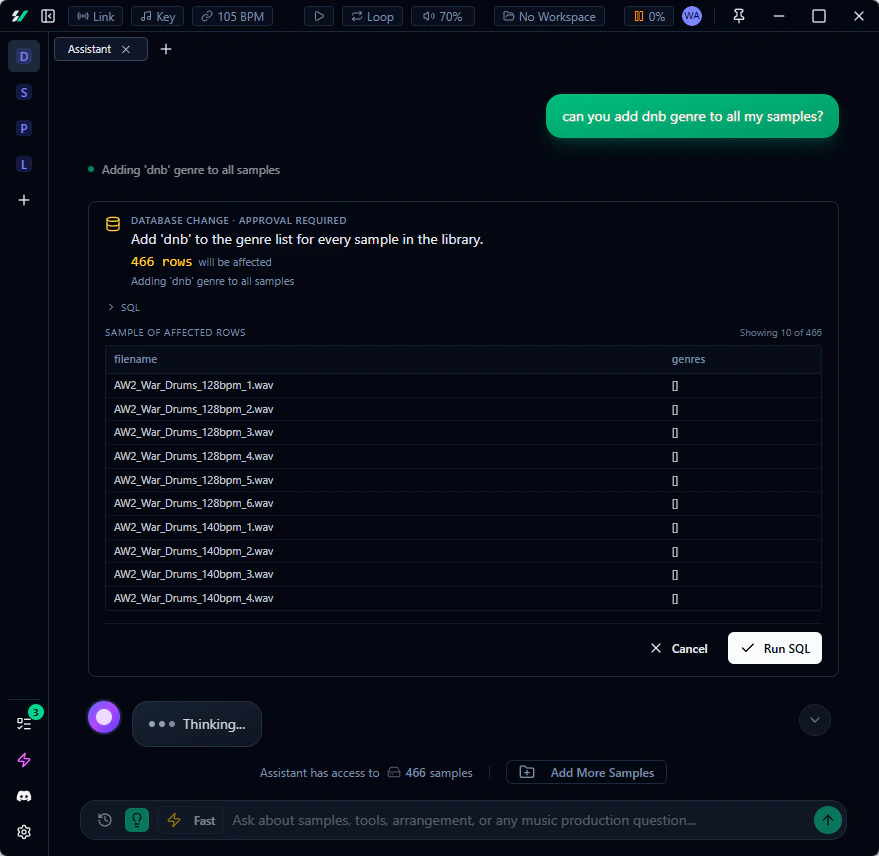
The assistant querying your library and proposing changes inline
Assistant SQL Tools
- Ask questions about your library: “how many kicks between 60–80 BPM?”, “which genre has the most samples?”, “show me favorited samples I haven’t played in a month”
- Similarity search with filters: “samples that sound like this one but only lofi, under 80 BPM, in F minor” — combines vector similarity with any filter you describe
- Make bulk changes: “archive everything tagged lofi that isn’t favorited”, “remove the 808 tag from all kicks” — the assistant proposes the change and you approve it inline before anything happens
- Safe by default: Destructive statements are blocked automatically, and every write shows a confirmation card with a plain-English summary before executing
User Experience
- Prompt Search now works in the browser demo
- Web account area consolidated into a single page — plan, usage, referral, and settings in one place
- Email preferences now sync between desktop and web
- Assistant chat messages pin your question to the top so you read the response from the beginning
- Tool steps in the assistant are now compact — in-progress steps show a spinner, completed steps collapse to a single line
- Notes editor is tighter and more compact
- The app uses custom scrollbars in more places to provide a more native feel
Bug Fixes & Performance
- Fixed web account page throwing errors when adjusting preferences
- Fixed global shortcuts not being recognized
- Fixed demo video not playing on some browsers
- Fixed email verification sign-in bouncing back to the sign-in page
v2.0.8
User Experience
- “Check for Updates” in the user menu now opens the update dialog directly when a new version is found
Bug Fixes & Performance
- Fixed sign-in on macOS silently returning to the sign-in screen after a successful browser auth
- Fixed a potential race condition when authenticating leading to authentication failing silently
v2.0.1
User Experience
- Added “Copy sign in link” option on the sign-in waiting screen for cases where the browser doesn’t open automatically
- Landing page navbar now shows an Account button in place of “Try Demo” for signed-in users, linking to account settings
Bug Fixes & Performance
- Fixed “Analyze samples” context menu not queuing analysis jobs
- Fixed sync pulling from remote after a failed push, which could overwrite local data
- Fixed potential database corruption from background and manual syncs running simultaneously
- Fixed fresh installs with sync credentials failing on a nonexistent remote database
- Optimized database size and sync throughput when it’s idle
The Rebuild: Offline-First, Faster Everything
Sample Vault 2.0 is a ground-up rebuild of how the app stores and processes your data. Every operation is faster, everything works offline, and a new processing pipeline gives you more control over how your samples are organized.Offline-First Architecture
The local database has been completely replaced. The previous in-memory engine was fragile and kept all data in RAM — the new one writes to disk, syncs reliably, and uses a fraction of the memory.- Faster everything: Browsing, searching, and filtering are all significantly faster
- Lower memory usage: Data is no longer held entirely in RAM
- More stable: Fewer crashes and edge cases from the previous in-memory database
- Full data sync: All data in the app now syncs to the cloud — previously only a subset was synced
Sound Profile
A new Sound Profile tab in the Sample Browser filter sidebar lets you filter samples by their sonic characteristics using range sliders.- Core: Tonality, Percussiveness, Brightness, Noisiness, Complexity, Attack, Rhythmic Density, Pitch Stability
- Frequency Content: Sub Bass, Bass, Low Mids, Mids, Highs
- Stereo & Temporal: Stereo Width, Temporal Centroid, Dynamic Range
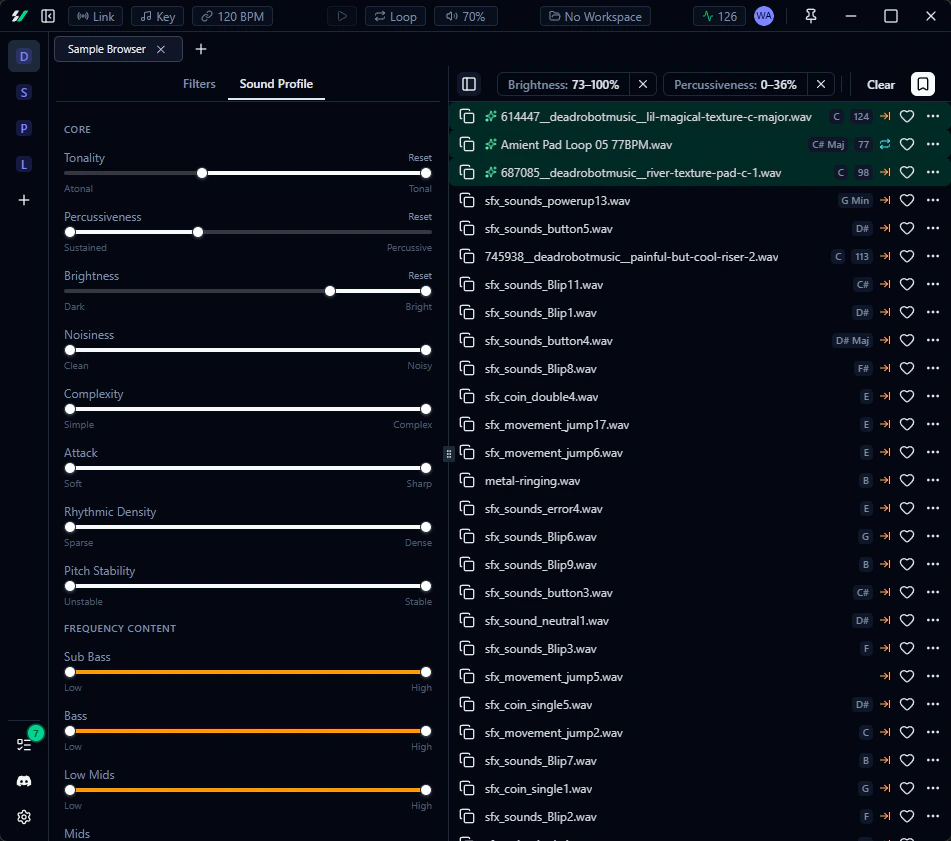
Sound Profile filter tab with range sliders
Sample Enrichment
Sample processing is now split into two distinct stages:- Analysis — Local audio processing that extracts tempo, key, spectral features, and sound characteristics. Deterministic, fast, and free
- Indexing — AI scans your directories and generates relevant labels: genres, tags, creators, and sample packs. Costs 20 credits per indexed folder — a fraction of the previous per-sample cost, which has been removed entirely
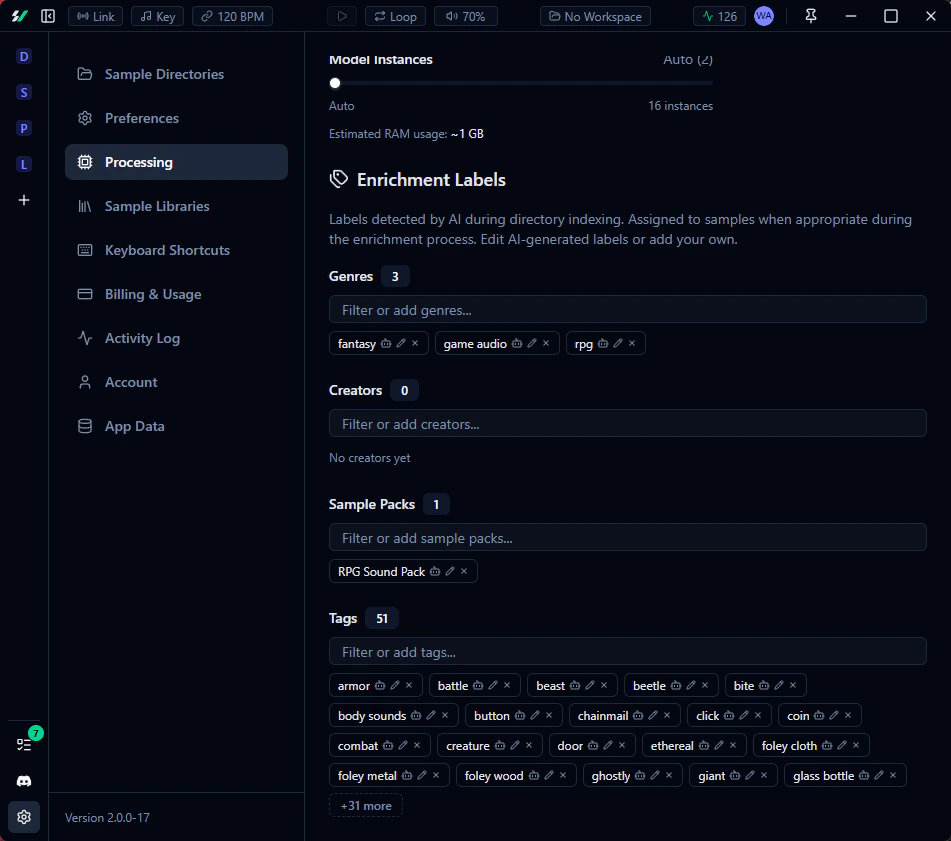
Enrichment Labels settings for managing AI-detected labels
Prompt Search for Everyone
Prompt Search is now available to all users, not just premium subscribers. Each search costs 5 credits. Free plan users receive 100 daily credits — enough for about 20 searches per day.Processing Settings
New Settings > Processing tab gives you control over how the app uses your hardware during audio analysis.- Processing Threads: Control how many CPU threads are used for audio analysis — higher values process faster but use more CPU
- Classification Models: Control how many audio classification models run simultaneously — each instance uses approximately 500 MB of RAM
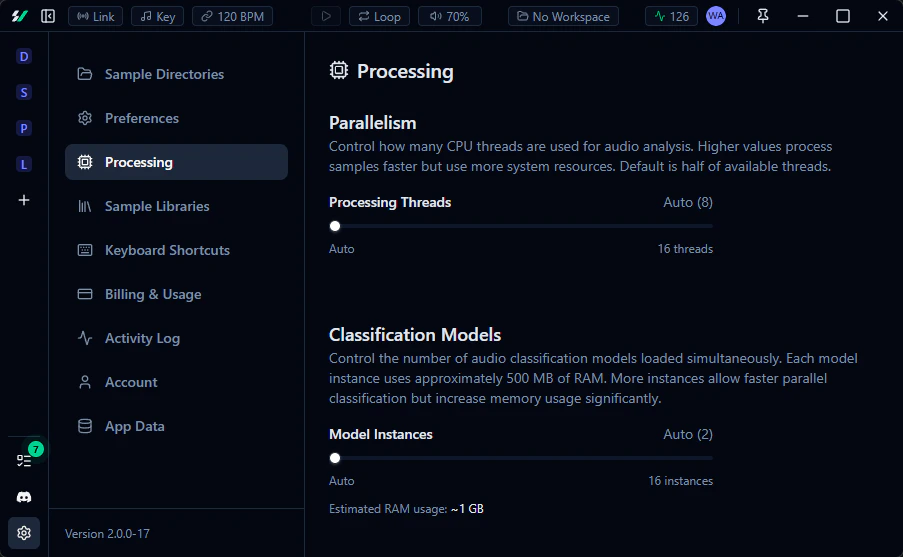
Processing settings for threads and classification models
User Experience
- Copy with effects rendered: When time stretch or key transposition is active, right-click any sample to copy it with the effect baked in using “Copy timestretched”, “Copy pitched”, or “Copy timestretched & pitched”
- Master volume in title bar: A volume slider is now accessible directly from the title bar with a click-to-mute toggle
- Activity log refresh: The activity log has been streamlined to surface only the most relevant background events, reducing clutter
Performance and Bug Fixes
- Sample analysis is up to ~10x faster
- RAM is now properly released after analysis completes
- File browser is drastically faster for large libraries (100k+ samples)
- Fixed a race condition where the AI Assistant’s tools would occasionally stop responding
- Fixed auth deep link occasionally failing to complete sign-in
Native Experience Update
The Sample Vault desktop app now runs entirely from your machine. The interface is bundled directly into the application instead of loading from a remote server.- Instant startup: The app launches immediately — no waiting for a remote connection or loading screen
- Full offline UI: Every part of the interface works without an internet connection, not just the local features. Previously, a network hiccup could leave you staring at a blank screen mid-session
- Faster across the board: Navigation, panel switching, and UI interactions are snappier since nothing is fetched over the network
- More reliable updates: App versions are fully self-contained — what you download is what you run, with no risk of UI/backend version mismatches
Bug Fixes & Performance
- Fixed a corrupt audio file being retried forever instead of failing after a few attempts, which could clog processing and slow the rest of your library
Analysis Overhaul and Playback Controls Update
Auto-Loop and Play Controls
New Auto-Loop and Play buttons are now accessible directly from the title bar — start playback and toggle looping without reaching for a panel.Sample and Directory Reanalysis
Right-click any sample or directory in the File Browser to trigger reanalysis, updating audio features without a full library rescan.User Experience
- Richer progress status: Scanning and analysis now display extended progress details so you always know what’s happening
- App data directory links: Settings → App Data now includes direct links to reveal cache, logs, and other app-related directories on your system
- Improved playback behavior: Pressing Space now always restarts playback from the beginning. Use Shift+Space to resume from where you left off
- New macOS icon: Redesigned app icon that feels more native on macOS
Performance and Bug Fixes
- 10–20x faster sample analysis — major optimizations to the audio analysis pipeline dramatically reduce processing time across your library
- Fixed samples not obeying Link and not playing in sync
- Fixed AI Assistant chat input not rendering properly in certain cases
- Fixed assistant sample player using outdated sample info/edit dialogs
- Fixed download link on the web detecting the wrong architecture on macOS
Recall, Refinement, and Waveform Update
Recall Tab
Sample Vault now remembers what you do. The new Recall tab keeps a running history of every sample you drag, copy, search for, or ask the assistant about — organized by workspace.- Tracks five interaction types: samples dragged to DAW, samples copied, browser searches, prompt searches, and assistant messages
- Filter by interaction type to quickly find what you were working with
- Embedded sample players let you re-audition directly from the history
- AI-aware context: Your recent activity is automatically passed to the AI Assistant, so it understands what you’ve been working with and gives more relevant responses — no need to re-explain
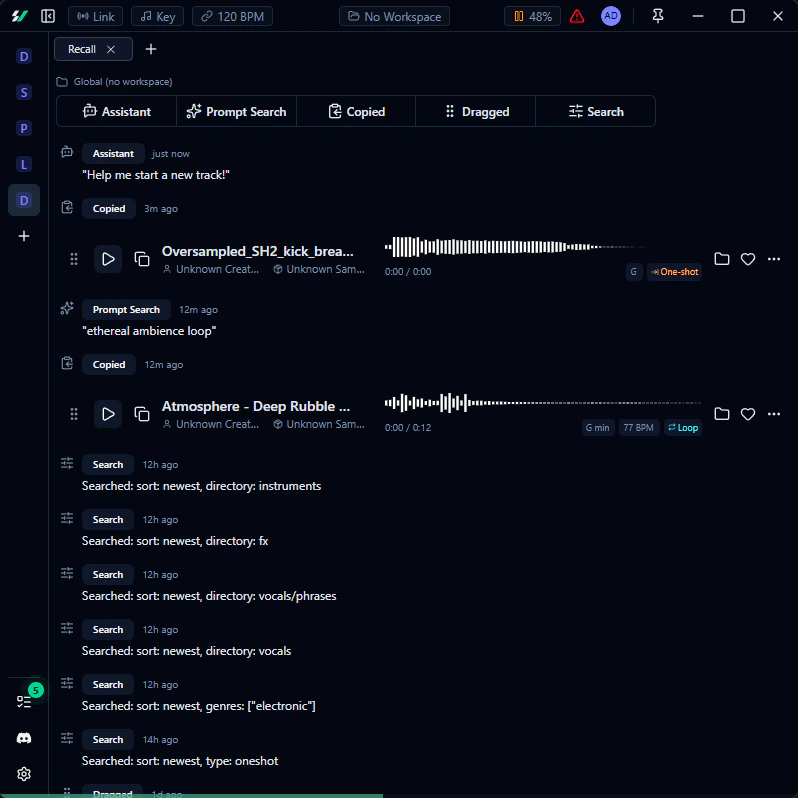
The Recall tab showing recent interaction history
Similar Samples Refinement
The Similar Samples panel now lets you approve or reject results to steer the similarity search toward exactly what you need.- Hover over any result to reveal a checkmark (more like this) and X (not like this)
- Approved samples pull the search toward their sonic characteristics; rejected samples push it away
- Results update in real time as you refine
- Click Reset to return to the neutral similarity search
Approve and reject similar samples to refine results
Waveform Visualizer Tab
A new Waveform Visualizer panel provides a detailed, interactive view of the currently playing sample.- Click anywhere on the waveform to seek playback
- Scroll to zoom in/out (cursor-anchored)
- Shift+scroll (or trackpad horizontal scroll) to pan
- Enable Tempo Sync to display beat and bar markers aligned to the sample’s BPM — musical intervals replace the default time ruler
Waveform Visualizer with tempo sync enabled
Improved Tempo and Loop Detection
The audio analysis pipeline now uses a multi-algorithm approach for more accurate tempo and loop detection.- Tempo detection combines spectral flux, high-frequency content analysis, phase deviation, and inter-onset interval histograms to produce more reliable BPM estimates
- Loop detection classifies samples as loops or one-shots using separate heuristics for percussive, tonal, and mixed content
- Grid-based matching cross-references detected BPM against expected loop durations (1, 2, 4, 8, 16 bars) for higher confidence on loops
Also New
- Sample Info player: The Sample Info tab now includes an embedded audio player with waveform visualization at the top — audition and inspect without leaving the detail view
- UI scale setting: Adjust the interface scale in Settings → Appearance to match your display and preferences
- Web browser demo: Try Sample Vault directly in your browser at samplevault.ai/demo — no download required
- Public roadmap: See what’s coming next and vote on what’s important to you on the public roadmap
User Experience
- Sample reconciliation: If samples are moved or deleted from disk, Sample Vault detects the missing file on playback and offers to locate the file at its new path or remove it from your library. Relocating a sample automatically finds and updates other samples from the same original directory.
- Extended activity log with more processing events
- AI Assistant now has access to the most up-to-date documentation
- New progress bar in the Sample Browser shows analysis progress more cleanly — samples now auto-refresh every 60 seconds instead of continuously, reducing browsing interruptions
- BPM sync now falls back to 120 BPM when no tempo is detected, instead of showing an empty state
- (Experimental) Database backups available in Settings → App Data — may not handle very large datasets yet
- Right-clicking the user icon now shows the same menu as left-clicking
- Added a default right-click context menu anywhere in the app with links to keyboard shortcuts, settings, Discord, documentation, changelog, and more
Performance and Bug Fixes
- Audio analysis processing speed improved up to ~5×
- Reduced RAM usage during processing
- Improved Prompt Search accuracy
- Fixed Assistant occasionally responding with empty messages due to invalid tool calls
- Fixed playing assistant samples not triggering the Similar Samples panel to update
- Fixed chat context menu action redirecting to an old route
- Fixed samples not being properly deleted during server sync
- Fixed samples not grouped correctly into original directories when pulling from server sync
- Fixed errors when extracting metadata from files during processing
- Fixed virtual file tree being built incorrectly (Settings → App Data → Rebuild File Tree if needed)
- Fixed system status button in the title bar continuing to play sheen animation after analysis finishes
- Fixed samples being visible across accounts on the same PC
- Fixed links in AI Assistant chat not opening in the browser window
Dock Layouts Update
Dock Layouts
Sample Vault now has a fully customizable layout engine. Arrange any combination of panels — sample browser, file browser, AI assistant, similar samples, note editor, and more — into your own tabbed workspace.- Drag and drop panels to rearrange or split the interface
- Resize panels to fit your workflow
- Save and switch between named layouts
- Use as many or as few panels as you need
Dock layouts in Sample Vault
Improved Sample Info Tab
The sample info tab has been redesigned with three focused tabs: General, Characteristics, and Metadata.- Characteristics tab shows all audio features extracted during processing (tempo, key, spectral data, and more)
- Editing sample metadata is faster with a cleaner layout
- Tab automatically refreshes based on the last selected sample
Improved File Browser Tab
The file browser now more closely mirrors how DAWs handle file trees.- Collapse and expand directories just like in your DAW
- Right-click a directory to mark all samples underneath for upload/analysis, or delete them by directory
- Collapse All button for quickly folding the entire tree
- Search bar to filter by filename
- Virtualized rendering for smooth scrolling across very large libraries
- Add new samples directly from the browser
New file browser, similar samples, and sample info tabs
New Similar Samples Tab
A new Similar Samples tab automatically surfaces the most sonically similar samples whenever you play one. No searching required — just audition a sample and the tab updates instantly.Control Which Samples Get Analyzed and Uploaded
You can now choose which samples get analyzed and synced to the cloud — both during the initial directory import and at any point afterward.- Configure during the Add Sample Directory flow
- Right-click individual samples or entire directories in the File Browser to update the setting at any time
Per-sample analysis and upload controls
Activity Log
All background events are now captured in an Activity Log, viewable in Settings → Activity Log. See a full timeline of sample processing steps and cloud sync events in one place.New Note Editor
The note editor has been rebuilt with richer authoring support.- Full Markdown support — see Markdown reference
- Slash commands for quick formatting
- Drag and drop to reorder sections
- Create to-do lists with
- [ ]syntax — previously separate to-do lists are now consolidated into notes
User Experience
- Discord OAuth is now available as a sign-in option
- Workspace selector has moved to the title bar as a persistent global switch (previously called Projects)
- When switching workspaces, the key and BPM are automatically applied to playback
- Sample processing and sync status are now consolidated into a single System Status indicator with more detail and recent activity log entries
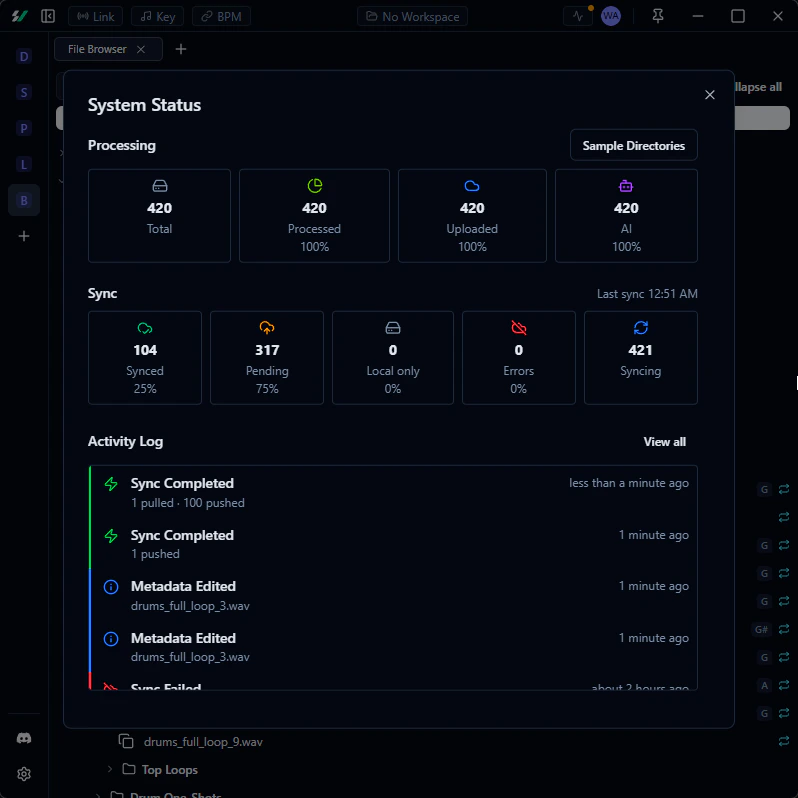
Consolidated system status indicator
Performance and Bug Fixes
- Drastically improved sample player rendering performance
- Prompt Search results are now more accurate
- Prompt Search results now display a similarity level next to each result
- Fixed an error that occurred when using “Reveal in Path” on certain samples
- Changed the icon to look better on MacOS
- Fixed MacOS tray icon not showing menu actions on click
- Fixed tray icon not having proper tooltip
Quick Actions Update
Quick Actions
PressCmd/Ctrl + Shift + Space to open the new Quick Actions menu — a fast way to search and filter your sample
library using search phrases and tokens.Tokens let you narrow results instantly:!loop/!oneshot— filter by sample type@Cmaj/@F#— filter by key#120/#140-160— filter by tempo or tempo range$edm— filter by genre%dark— filter by mood
Quick Actions menu in action
Sample Browser Filters
Some of the sample browser filters have been rewritten. The were two goals with these changes:- Make sample filtering more efficient by eliminating redundant interactions
- Provide a visual representation of possible options without having to click and browse through menus
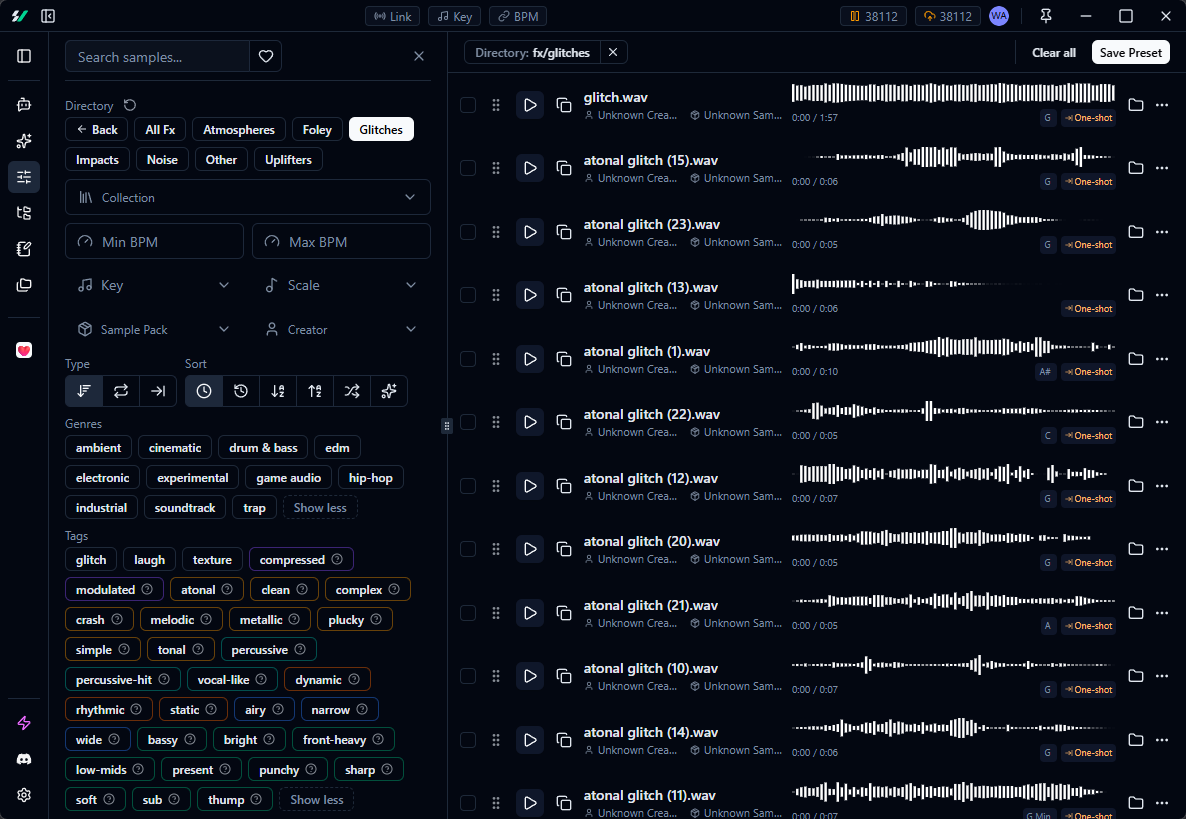
New sample browser filters panel
User Experience
- Restored the ability to delete sample directories
- Key transposition buttons no longer jump unexpectedly
- Expanded the user profile menu with additional links
- AI Assistant chat now properly displays the character limit in the prompt instead of silently crashing
- Added feedback buttons below assistant messages to improve model behavior over time
New feedback buttons for assistant messages
Performance and Bug Fixes
- Fixed a critical bug on Windows where undownloaded samples would fail to download/play, showing an unexpected error
- Fixed samples occasionally not playing at random
- Fixed waveform progress not displaying correctly
- Improved synchronization timing with Link
- Improved sample categorization into virtual directories — fewer misassigned samples (e.g., samples incorrectly tagged as hats)
- Time-stretching and key transposition are now bypassed when not in use, preserving original audio quality
- Optimized rendering in the Sample Browser and other views with sample players
- Uploads now handle choppy network conditions more gracefully and wait to reconnect before retrying
Link, Tempo and Key Lock Update
Lock Playback Tempo and Key
Sample Vault now has a time-stretching and key transposing algorithm built-in. Globally define the tempo and key at which all samples play.Link — Synchronize Playback With Your DAW
Sample Vault now supports Ableton Link to synchronize sample playback with your DAW. Enable it by clicking the Link button in the title bar. See your DAW’s documentation for how to enable Ableton Link — most major DAWs support it, including Ableton Live, Bitwig, and Logic Pro.When Link is enabled, sample playback loops until paused. Enabling Link automatically locks tempo playback.Link, Tempo and Key Lock in action
Sample Processing
- Sample directory view now shows richer details per sample and per processing step
- Samples that fail to process or upload now automatically retry
- More descriptive error messages for common processing errors
- Directory scans now automatically resume if interrupted
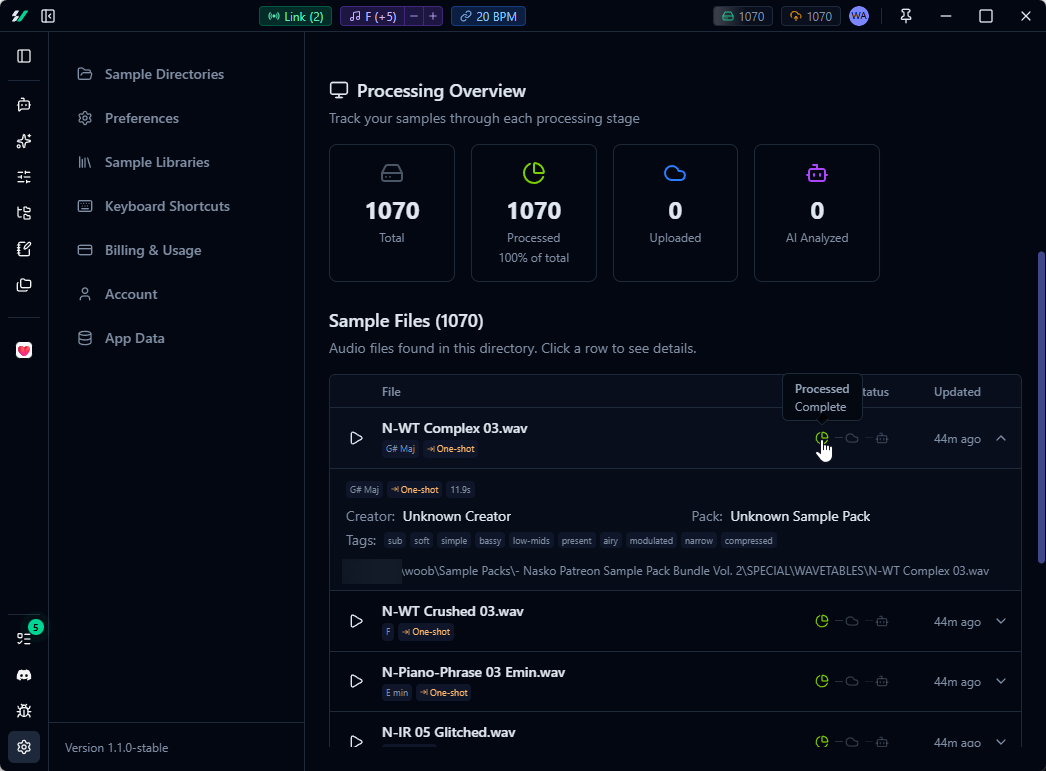
Sample directory view now shows detailed sample metadata and processing status
User Experience
- New waitlist on the pricing page for a one-time purchase license
- Removed upsell banner from sample browser for free plan users
- New onboarding survey for a more personalized experience
- Smoother application update flow for future updates
- Public sample libraries are bundled with the app for faster first launch
Performance and Bug Fixes
- Sample browser search is significantly faster
- Fixed AI Assistant chat errors caused by invalid tool calls
- App no longer crashes after server-side updates — it gracefully reloads instead
Known Issues
- Link peer detection: Link may occasionally fail to detect other peers on the network. Toggle Link off and on to reconnect.
- Drag-and-drop with lock enabled: Dragged samples do not yet preserve tempo/key lock settings. This will be addressed in a future update.
Offline Mode and Unlimited Free Plan Update
Offline Mode (Local-First)
Sample Vault now works fully offline.- Zero Latency: Searching and organizing happens locally on your device
- Auto-Sync: Changes made offline automatically sync to the cloud once you reconnect (paid plans only)
Unlimited Free Plan
The Free Plan no longer has sample limits. Add as many samples as you want — all samples are analyzed locally. Cloud sync and AI analysis remain exclusive to paid plans.AI Assistant: Fast Mode
New Fast Mode toggle for the AI Assistant, optimized for quick questions, precise sample searches, and documentation lookup.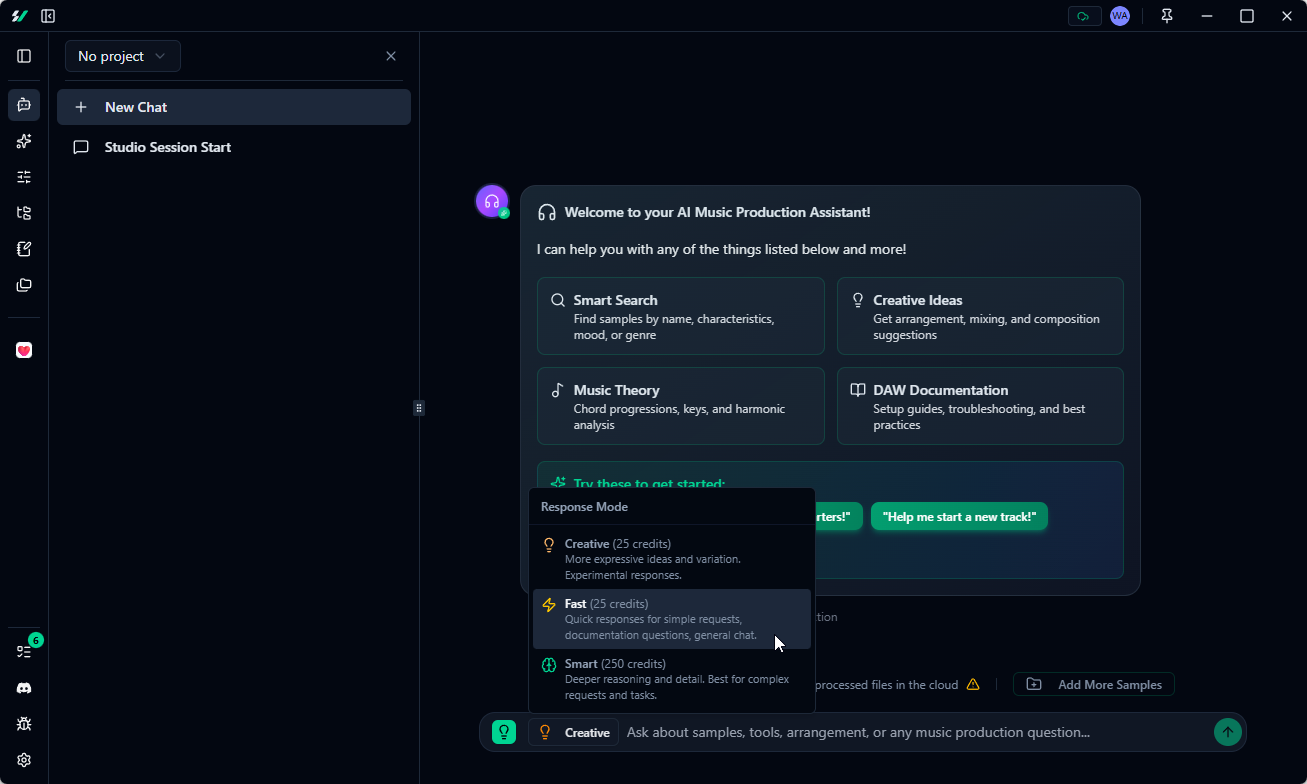
Fast Mode toggle in the AI Assistant
Sample Libraries Management
Enable or disable specific public sample collections to declutter your library. Configure this in Settings → Sample Libraries.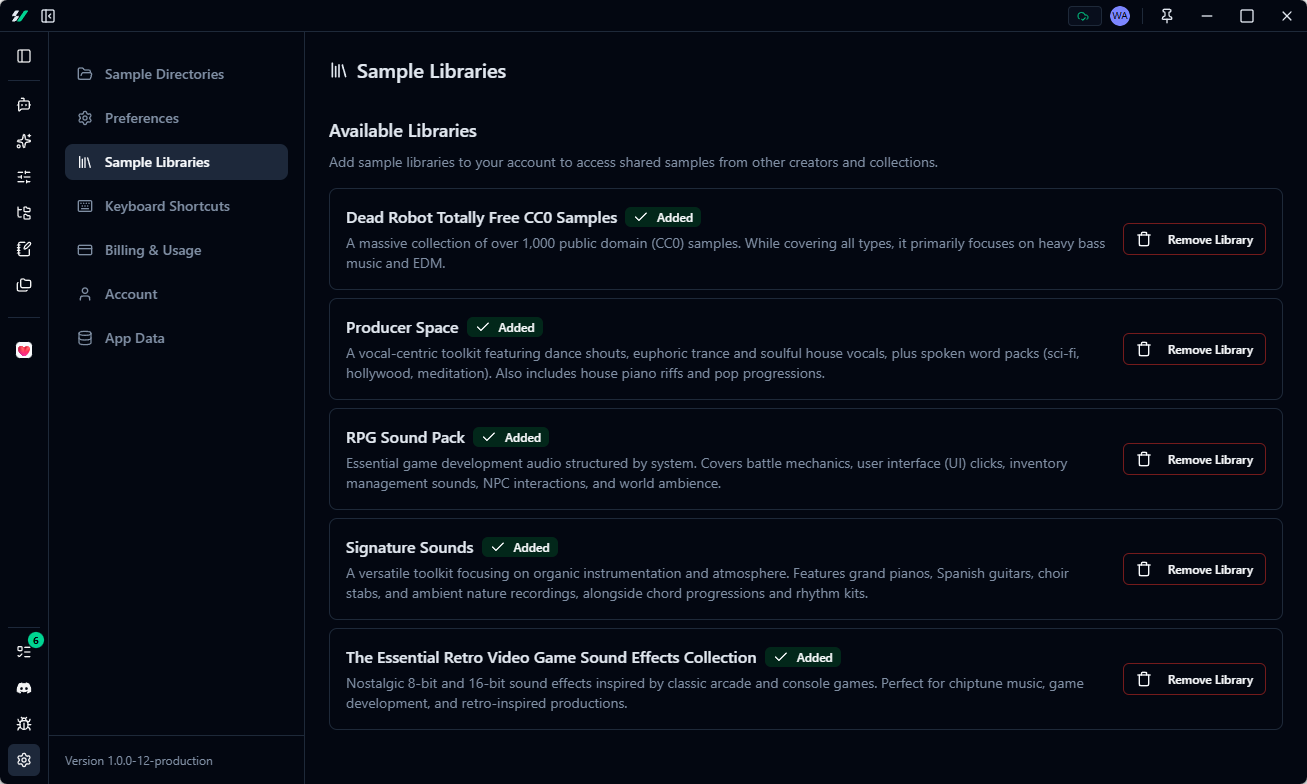
Public sample library management in Settings
Performance and Bug Fixes
- Search performance: Sample browser loads faster and scrolls more smoothly
- AI Assistant reliability: Reduced hallucinations and significantly lower error rate